confident offers,
Made easy

In a competitive market, timing is everything. Auction.com keeps you one step ahead.
Stay competitive in a fast-moving market. With Auction.com, you can explore listings, make informed offers, and stay in control—every step of the way.
How Offers works
Create Your Account
To take full advantage of everything Auction.com offers, you’ll need to create an account. From saving properties to receiving real-time updates on listings, your account will help you stay connected and informed.
-
Set Your Preferences:
Customize your search by setting preferences, location, and property type. This will ensure that you see listings that are relevant to you. -
Save Your Favorites:
Found a property you like? Save it to your favorites to stay in the loop with any updates about that property. Whether it’s a price change or a new offer, you’ll be notified in real time.
Search Properties & Do Your Due Diligence
Auction.com equips you with the tools to explore and evaluate properties with confidence.
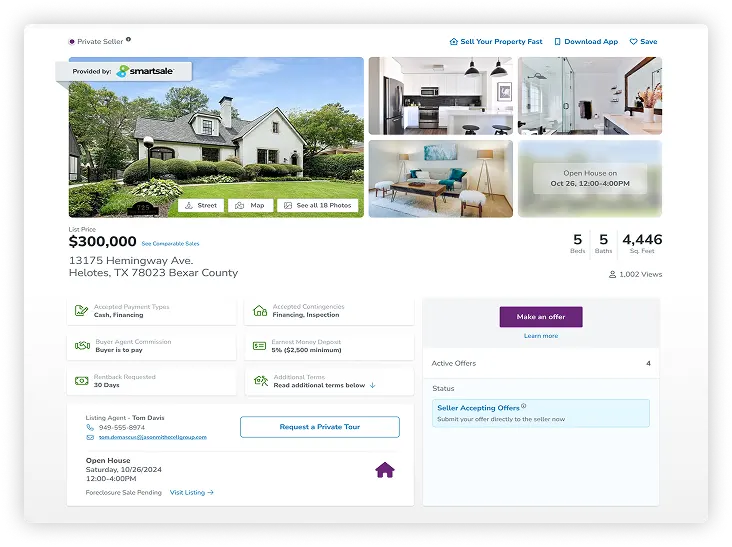
Property Details:
Review listing details, documents, disclosures, and
terms of sale, which may include conditions like
rentbacks, where a seller rents the property back from
the buyer for a defined time.
Agent Contact:
When available, the listing agent’s contact information
will be displayed on the property details page. Reach
out directly to ask questions.
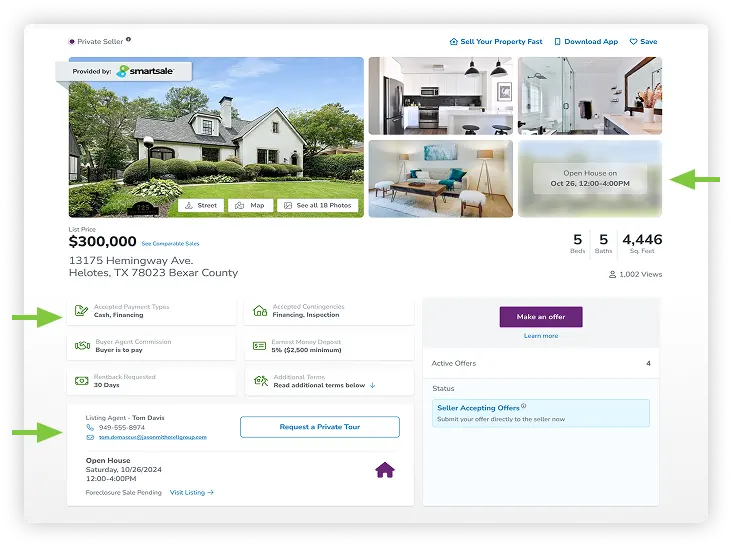
Open Houses & Private Tours:
Attend scheduled viewings where available. Contact the
listing agent to get in touch.
Register to Make an Offer
Once you've found a property and are ready to make an offer, it's time to register.
verify your
identity
Before placing an offer, you must complete ID verification. Have one of the following ready:
- Driver’s License
- Identity Card
- Passport
complete your account information
- Ensure your account information is accurate and verified.
- Provide a working phone number for account security and updates.
- Opt-in for SMS notifications to receive real-time updates and offer alerts.
accept terms and conditions
Confirm that you agree to Auction.com’s participation terms before proceeding with any transactions.
upload lender prequalification letter or proof of funds
Before making your offer, make sure you know your budget and what you’re willing to spend. You’ll be required to upload either a lender prequalification letter for financing, or proof of funds verification. The documentation must be equal to or higher than your offer amount to verify your ability to proceed with the purchase.
Stay Informed with Your Offer Portal
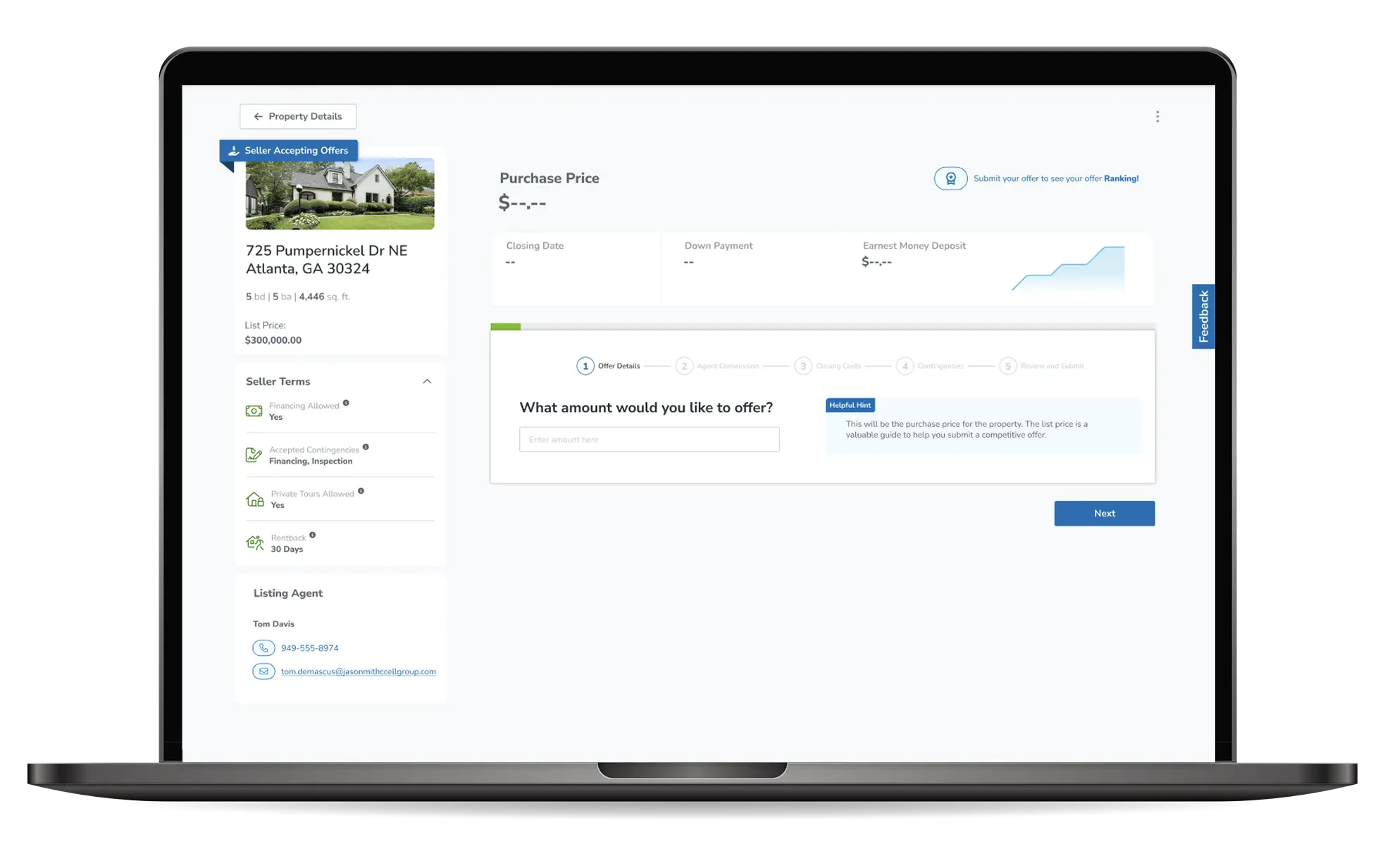
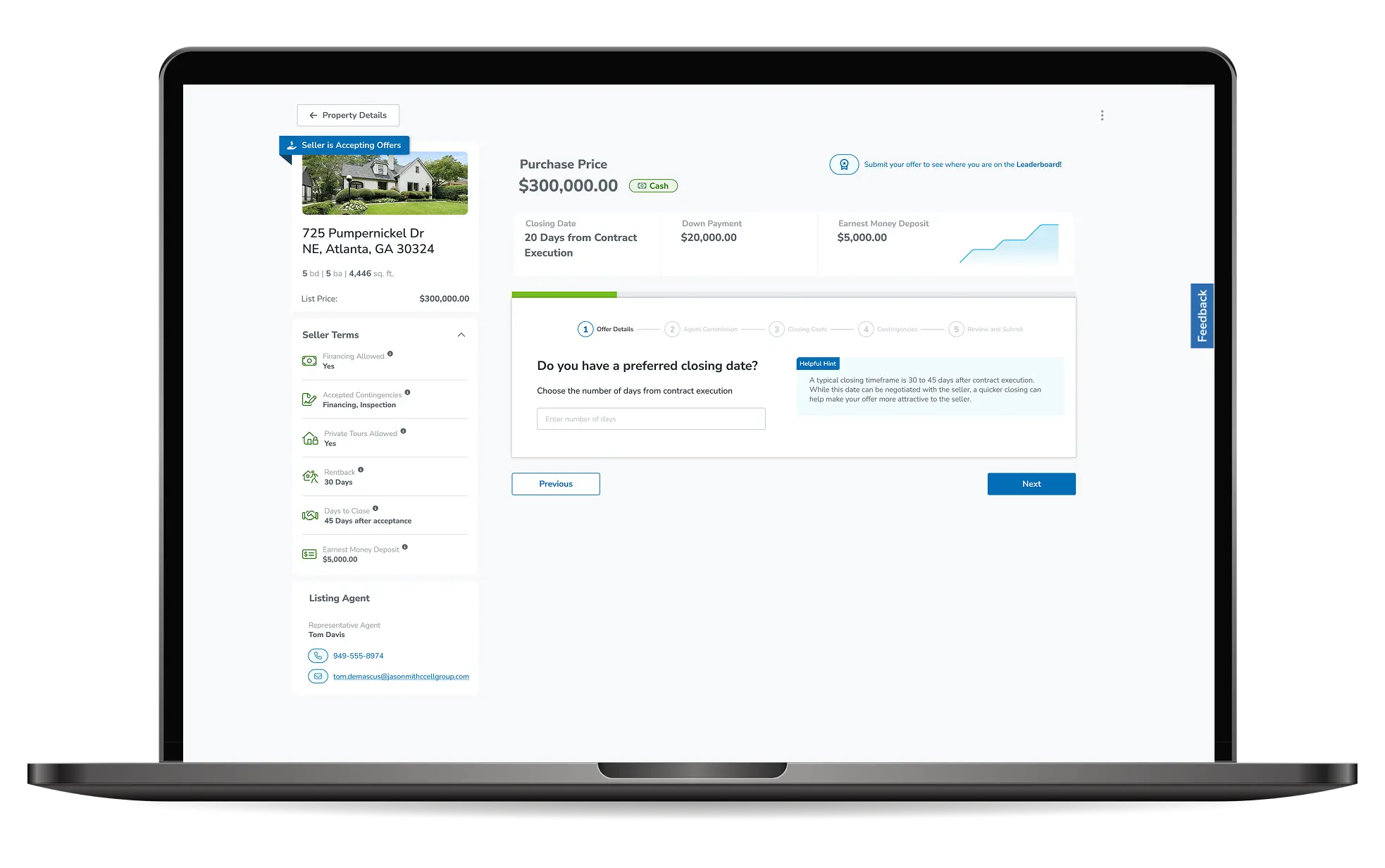
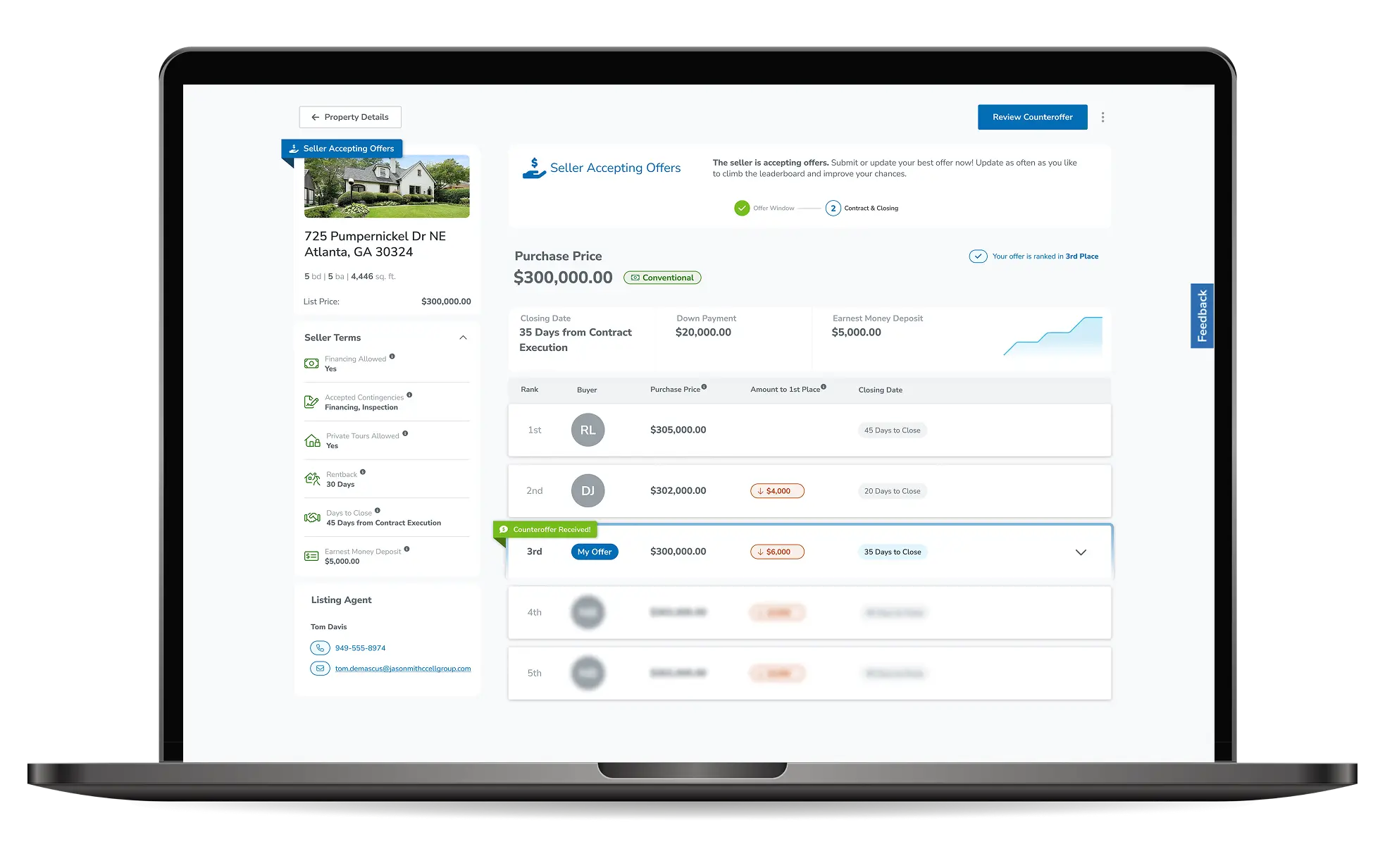
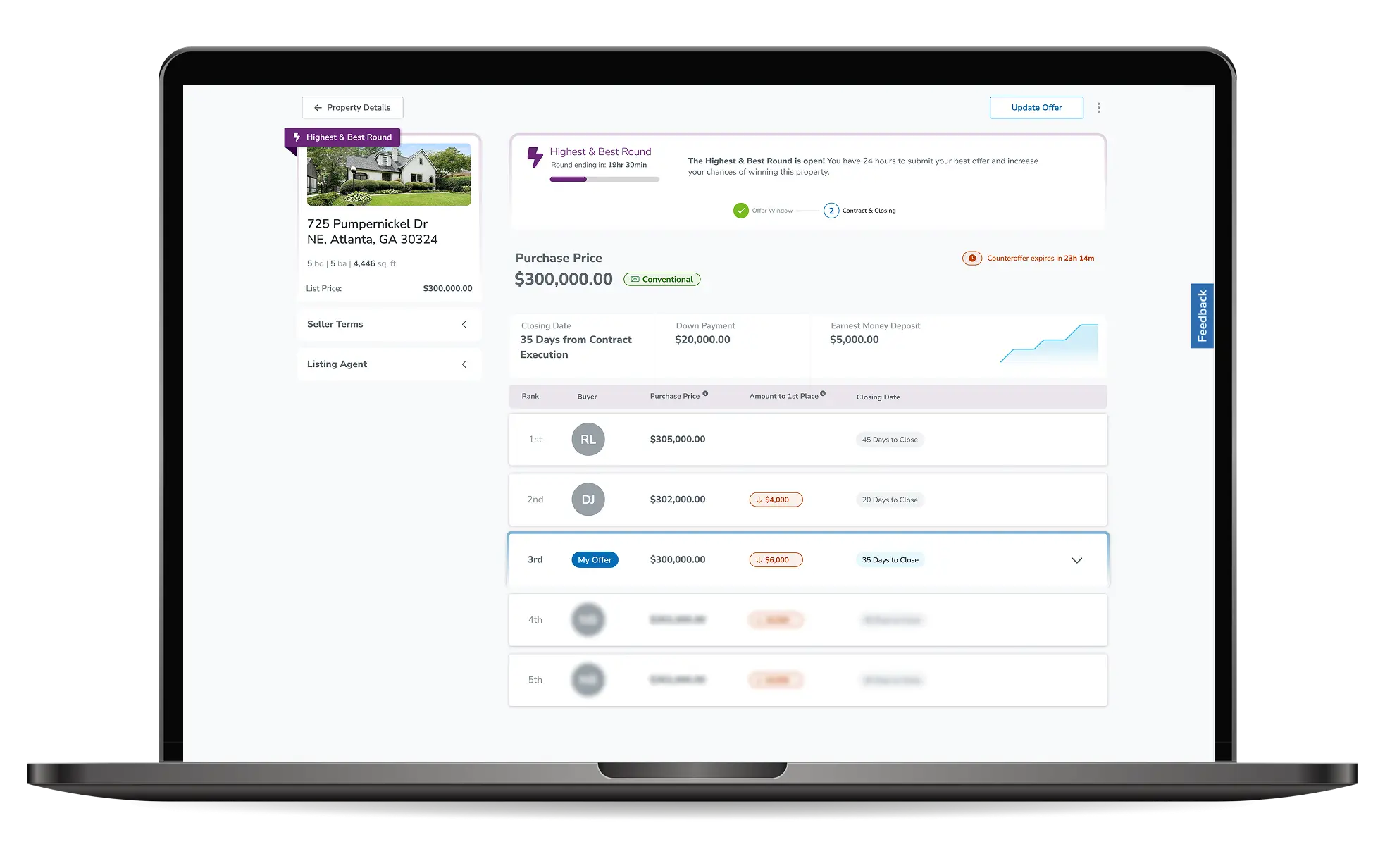
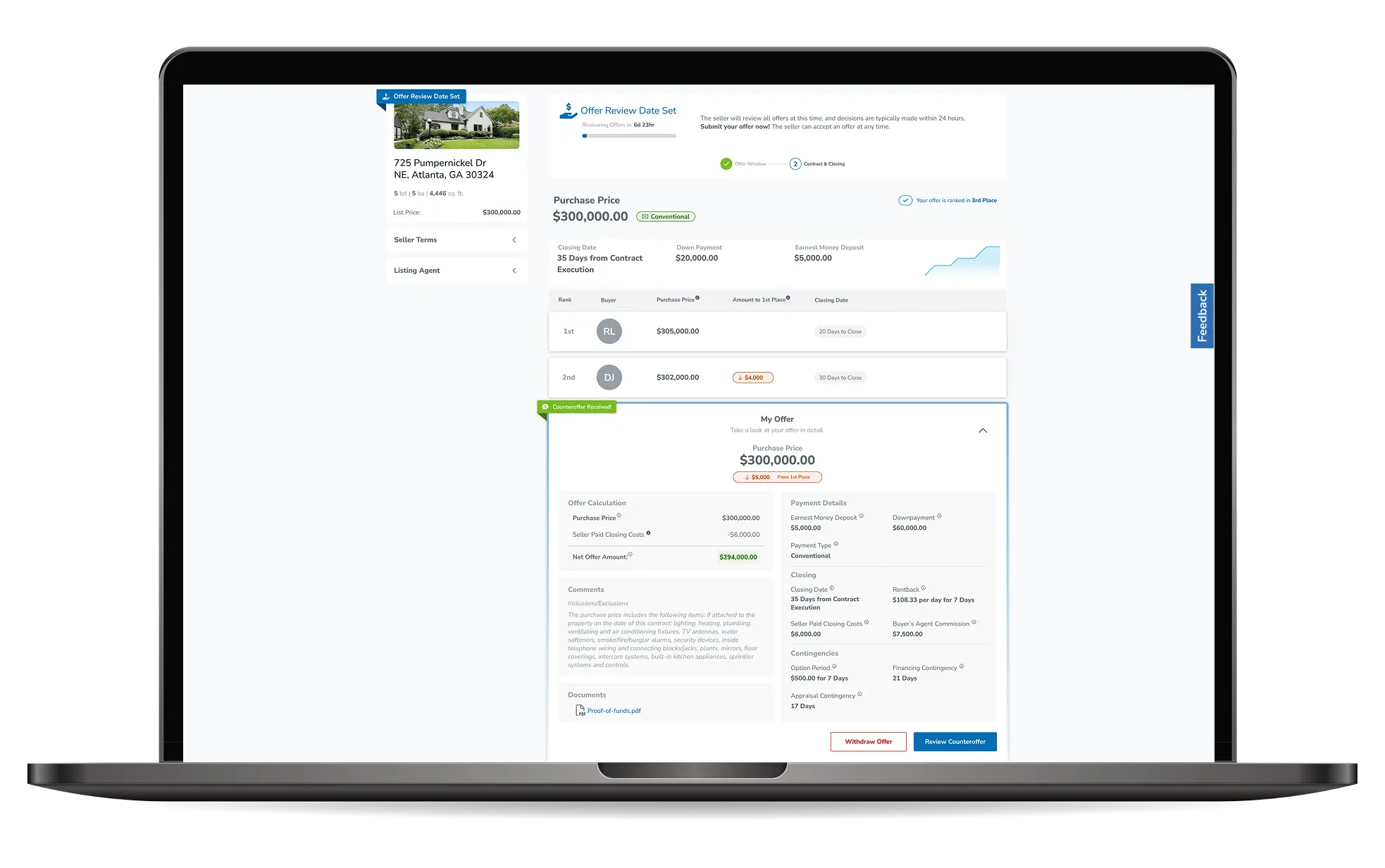
Once your offer is submitted, go to “My Offer” to track the property progress. The Offer Portal provides real-time updates and tools to help you stay competitive:
-
The Leaderboard lets you see where you rank in
real-time. Offers are ranked based on the
net amount that goes to the seller. The seller can
accept any offer, so being in first position does not
guarantee
that your offer will be accepted. Sellers consider all aspects of an offer, including the closing date, payment method, and the amount of your down payment and earnest money deposit, when deciding which offer to accept. -
Offer Review Date – The seller sets a deadline for
all offers to be submitted. At that time, they’ll review
all offers and typically make a decision within 24 hours.
Be sure to submit your best offer by this date
to maximize your chances of winning. -
Update your offer anytime to stay in the game – but
don’t wait too long! The Leaderboard updates in real-time,
and a stronger offer could push yours down the ranks. Stay
competitive and adjust quickly to increase
your chances of winning. - Receive counteroffers directly from the seller and respond within 24 hours. You can stand firm, accept, or update your offer and send it back. Act fast – waiting too long could mean losing out to another buyer!
- Stay alert – the process moves fast! Keep an eye on your inbox and Offer Portal so you don’t miss an opportunity to secure your purchase.
- Highest & Best Round – Some sellers may request a final round of offers from engaged buyers. Once initiated, you’ll have 24 hours to submit your best offer. The seller will review all offers and make a decision, often shortly after the round ends. If you’re in the running, don’t wait—strengthen your offer to stay competitive!
Contract & Closing
If your offer is accepted, you’ll receive an email with clear instructions on what to do next. This is an exciting step, and it’s important to stay responsive and prepared to move forward swiftly.
Complete Your Contracting Info:
Go to the Post-Auction/Closing tab on your dashboard and click on "Details" to complete the required information as soon as possible to avoid delays.
Next Steps:
The SmartSale team or the assigned agent will guide you through finalizing the PSA (Purchase and Sale Agreement) and closing the sale.
Frequently Asked Questions
Yes! You can update your offer anytime before the review deadline. However, keep in mind that sellers can accept an offer at any time, so always ensure your best offer is submitted. During the Seller Decision Period of the Highest & Best Round, offers can no longer be updated.
If the seller receives multiple strong offers, they may initiate a 24-hour Highest & Best Round to ensure all buyers have submitted their best offer. Sellers can start this at any time, so stay by your phone and be ready to act fast! Once the 24-hour period ends, the seller will review all offers and make a final decision.
You’ll receive a notification and an email with next steps to begin the contracting process.
If you don’t respond within the 24-hour window, the counteroffer will expire and can no longer be accepted. The seller may also choose to move forward with another offer, so it’s important to act quickly.
The closing company will be specified in the purchase and sale agreement.